A professional comparison of VEED, Descript, Happy Scribe and Zubtitle — strengths, limits, and real-world use cases.
Quick Links:
- TL;DR Summary
- Why This Comparison Matters
- Snapshot Comparison
- VEED
- Descript
- Happy Scribe
- Zubtitle
- Veteran Verdict
This article is an independent expert comparison based on professional subtitling experience and documented product capabilities.
Introduction
AI subtitling tools are everywhere in 2026. If you create video, you’re being promised instant captions, global translation, and polished on-screen text — all generated in a browser.
Many of these tools are genuinely powerful. But they are not all built for the same purpose.
Over two decades, I’ve delivered thousands of hours of subtitles across rolling news, live sport, drama, entertainment, and documentary — both inside major broadcast environments and as a freelancer working with mid-tier and creator workflows. I know what separates a fast social captioning tool from a structured subtitling system, and more importantly, where each type reaches its limits.
This comparison evaluates VEED, Descript, Happy Scribe, and Zubtitle through that lens — not to judge them against broadcast standards, but to clarify what each one is actually designed to do, where each is located on the full spectrum of subtitling provision, how far they can realistically take you, and when you may need additional tools.
TL;DR Summary
- VEED is a flexible browser-based video editor with strong subtitle styling, translation, and fast export — ideal for social and OTT creators working with standard SRT or VTT files.
- Descript is transcript-first and exceptionally strong for podcast and interview workflows, producing clean subtitles alongside its powerful text-driven editing system.
- Happy Scribe combines AI generation with optional human refinement, SDH support, and API integration, making it the most scalable option here for teams and accessibility-focused projects.
- Zubtitle is a branding-focused caption tool built for short-form social video, optimised for speed and visual impact rather than technical depth.
Used within their intended workflows, all four can produce solid, usable captions.
Why This Comparison Matters
Accuracy claims dominate this space: “99% accurate,” “instant captions,” “broadcast-quality.” Without context, those phrases are almost meaningless.
A clean studio voiceover behaves very differently from a noisy stadium interview. Dialogue in a scripted drama offers a stark contrast to a nervous interviewee stammering through rapid-fire responses.
Having worked across both worlds — from live respeaking to frame-accurate subtitle timing — I’m interested in more than whether a tool can generate text from speech. What matters in practice is:
- Editing control
- Segmentation quality
- Export flexibility
- Accessibility support
- Workflow scalability
This comparison benchmarks those elements while judging each tool according to its intended audience. A caption designed to stop a social media scroll is not the same as a subtitle file delivered into a regulated distribution pipeline. SubtitlingPro will never penalise creator tools for not being broadcast systems. The goal is to identify the professional ceiling — and help you understand where each tool fits in a real production workflow.
Snapshot Comparison
All four tools can generate usable captions — but they serve very different production needs. This snapshot shows where each one fits before diving into the detailed breakdowns.
| Tool | Best For | Standout Strength | Key Limitation | Output & Delivery | Professional Ceiling |
| VEED | Social video creators & marketing teams | Stylish captions + translation + all-in-one editing | Limited advanced timing control | Burned-in video + SRT/VTT | Creator & OTT workflows |
| Descript | Podcasts, interviews & educational content | Transcript-first editing with speaker labelling | Limited export formats | Burn-in + SRT/VTT | Creator, corporate & long-form dialogue |
| Happy Scribe | Teams & multilingual production | Hybrid AI + human workflows, SDH support, API | Higher cost at scale | Wide export range + integrations | Corporate, accessibility & large-scale projects |
| Zubtitle | Short-form branded social clips | Fast, simple, branding-focused output | No translation or long-form support | Captioned MP4 + SRT/TXT | Short-form social content |
Tool-by-Tool Breakdown
VEED


Strengths
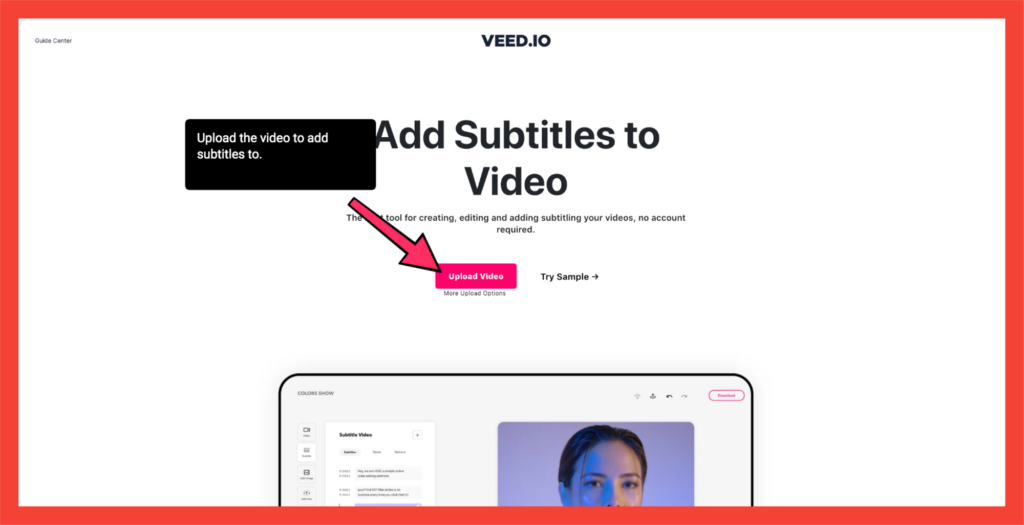
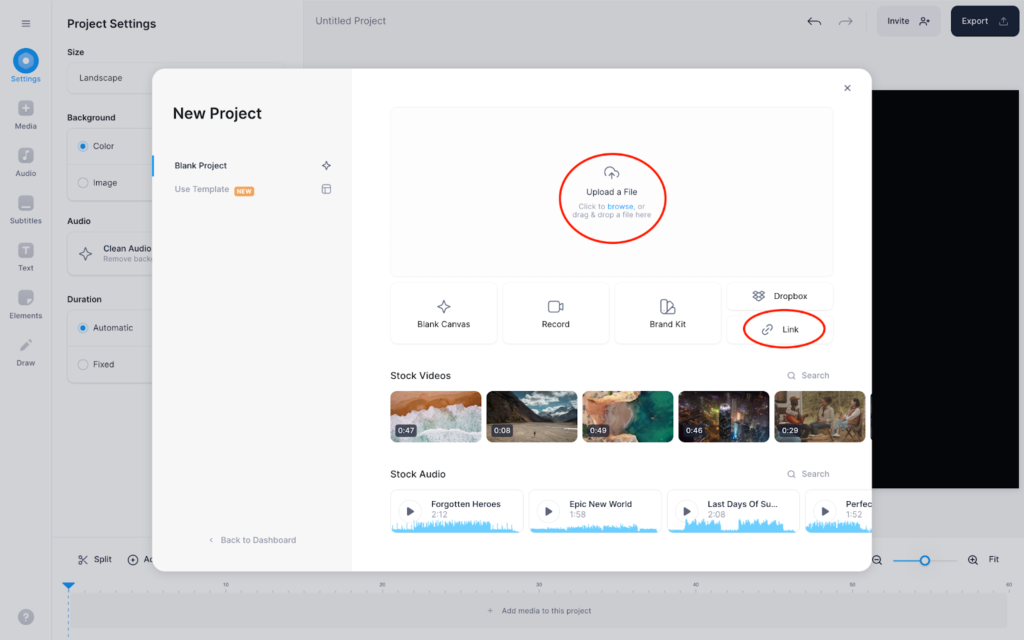
VEED is a video editor first, with AI subtitles integrated directly into the editing workflow — and that distinction shapes everything about how it behaves.
Because captions are built into a broader editing environment, you get dynamic styling presets, animated emphasis, translation into 100+ languages, and straightforward export of both burned-in MP4s and separate SRT or VTT files. Speaker detection is included and can apply distinct styles to different speakers, which works well for interviews, panels, and creator-led content.
The interface is fast, intuitive, and designed for momentum rather than meticulous technical control. For creators who need to edit, caption, translate, and publish within a single browser session, that integration can dramatically reduce turnaround time. Multi-language output is particularly efficient: generate subtitles once, translate them, then download separate files for each language from the same project.
Limitations
VEED does not position itself as a structured subtitle authoring environment. It does not document formal readability controls such as characters-per-second metrics, words-per-minute checks, or automated line-breaking based on reading speed. Broadcast-oriented formats such as EBU STL, IMSC, or SCC are not part of the export options.
Timing can be adjusted at cue level, but there is no documented waveform view or shot-change-aware timing tools. Accessibility guidance is mentioned in general terms, yet formal compliance statements for broadcaster or regulator specifications are not provided.
Usage allowances are tied to subscription tiers (roughly 144 to 1,440 minutes per year depending on plan), which can become a practical constraint for high-volume production.
Professional Ceiling
VEED comfortably supports YouTube channels, social media teams, marketing departments, podcasts, and OTT workflows where standard SRT or VTT files are sufficient. It is not designed for regulated broadcast delivery or environments that require certified formats and validation processes.
Projects requiring specialist deliverables — such as EBU STL, TTML, or platform-specific caption packages — will need to be exported and processed using dedicated subtitling software. In practical terms, VEED functions as a capable video editor with strong captioning features rather than a full subtitle engineering system.
Who It’s Actually For
VEED is best suited to creators and teams producing social-first video who want:
- Visually styled captions
- Multi-language support
- Rapid turnaround within a single browser-based workflow
If your priority is speed, branding, and ease of use — rather than deep technical control — it delivers exactly what it promises.
Descript
Strengths
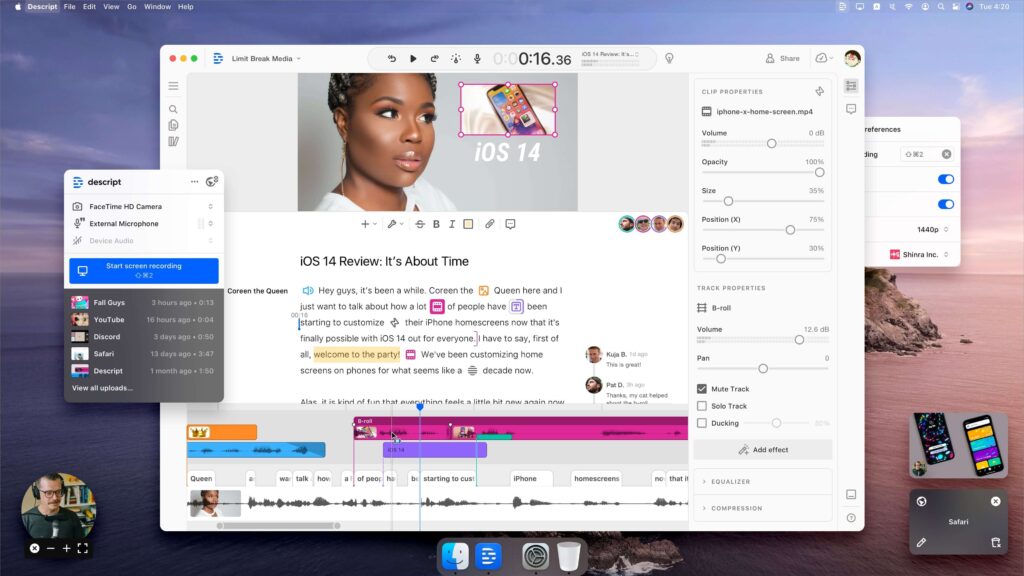
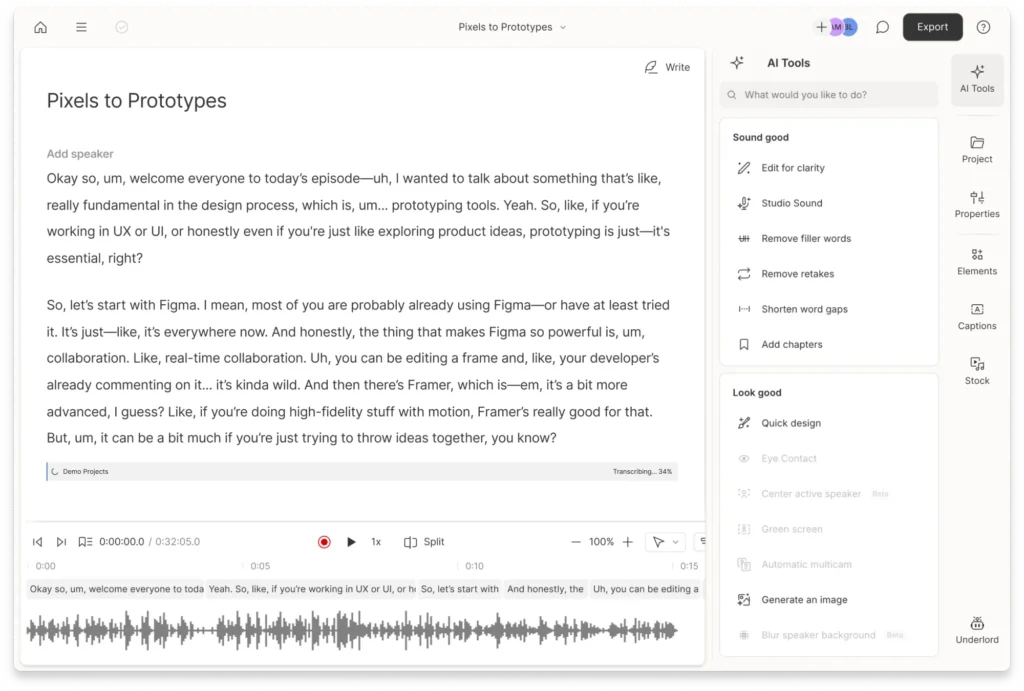
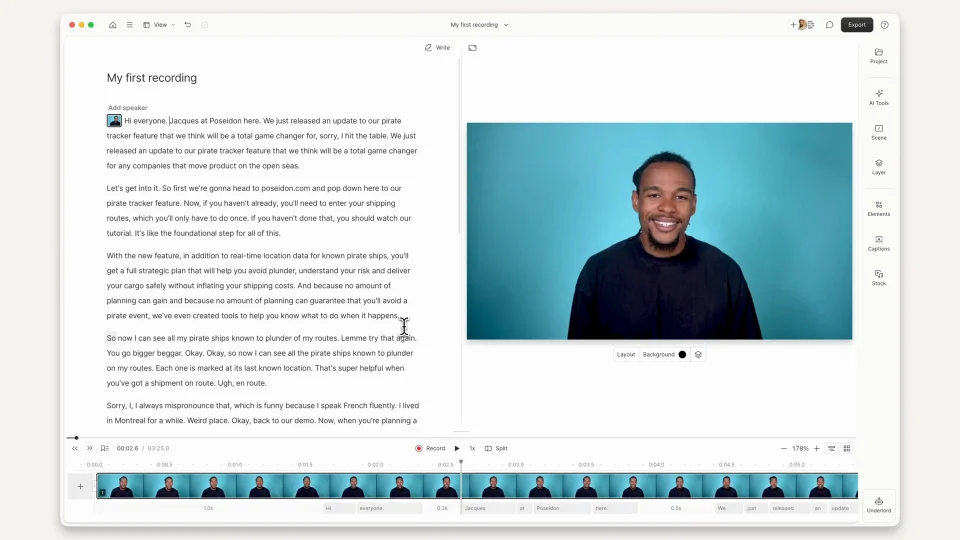
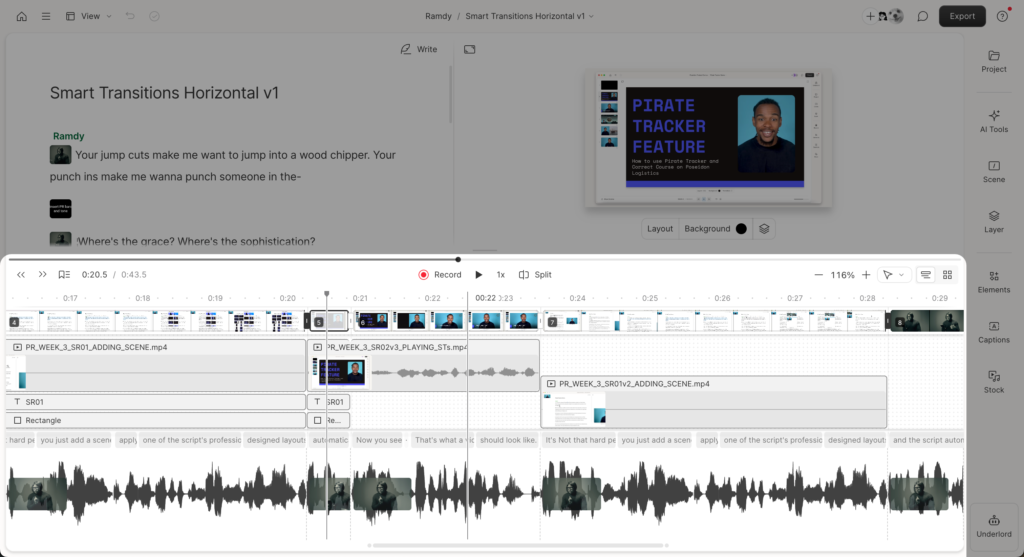
Descript is built around a transcript-first editing model: edit the text, and the audio or video edits itself.
For dialogue-heavy content — interviews, podcasts, webinars, educational material — this approach is genuinely transformative. You’re not trimming waveforms; you’re shaping language. Remove filler words, tighten sentences, restructure sections, and the timeline follows.
Speaker detection is automatic, labels propagate cleanly across the project, and subtitle export allows configurable line length and line count, giving you practical control over segmentation. Translation features extend this workflow into multilingual content, and both sidecar SRT/VTT files and burned-in captions can be generated directly from the same source transcript.
For creator and editorial workflows, this is extremely efficient.
Insider Insight
In freelance work, I’ve often used Descript as a high-quality ASR transcription engine — feeding in raw video to produce a fast first-draft script before moving into dedicated subtitling software. It excels at turning messy real-world audio into something editable and structurally coherent.
The subtitle export itself can require adjustment before integration into professional tools, but as a front-end transcription stage it can dramatically reduce preparation time. In that role, it’s one of the most useful tools in this comparison.
Limitations
Descript exports subtitles only as SRT or VTT. There are no documented reading-speed validators, CPS/WPM metrics, or advanced segmentation tools. Per-cue positioning, region management, and broadcast-specific formats are not part of the platform’s design.
In other words, Descript is not a subtitle engineering environment — it’s an editorial system that happens to generate subtitles from its transcript.
Lower-tier plans also impose media-hour limits (roughly one hour on the free tier, scaling upward on paid plans), which can restrict high-volume workflows.
Professional Ceiling
Descript comfortably supports creator, corporate, and educational production where accurate transcripts and clean captions matter more than frame-perfect timing precision.
It’s particularly strong when subtitles are just one output among many — alongside transcripts, show notes, searchable archives, or translated versions of the same content.
For tightly specified delivery requirements, the practical workflow is to generate a high-quality transcript and base subtitle file in Descript, then refine or convert it using specialist subtitling tools as needed.
Who It’s Actually For
- Podcasters
- Interview-driven YouTube channels
- Educators and course creators
- Corporate communications teams
- Anyone working with long-form spoken content
If your production process revolves around dialogue rather than visual timing, Descript aligns exceptionally well with how that material is actually created and edited.
Happy Scribe
Strengths
Happy Scribe operates on a different model from the other tools in this comparison.
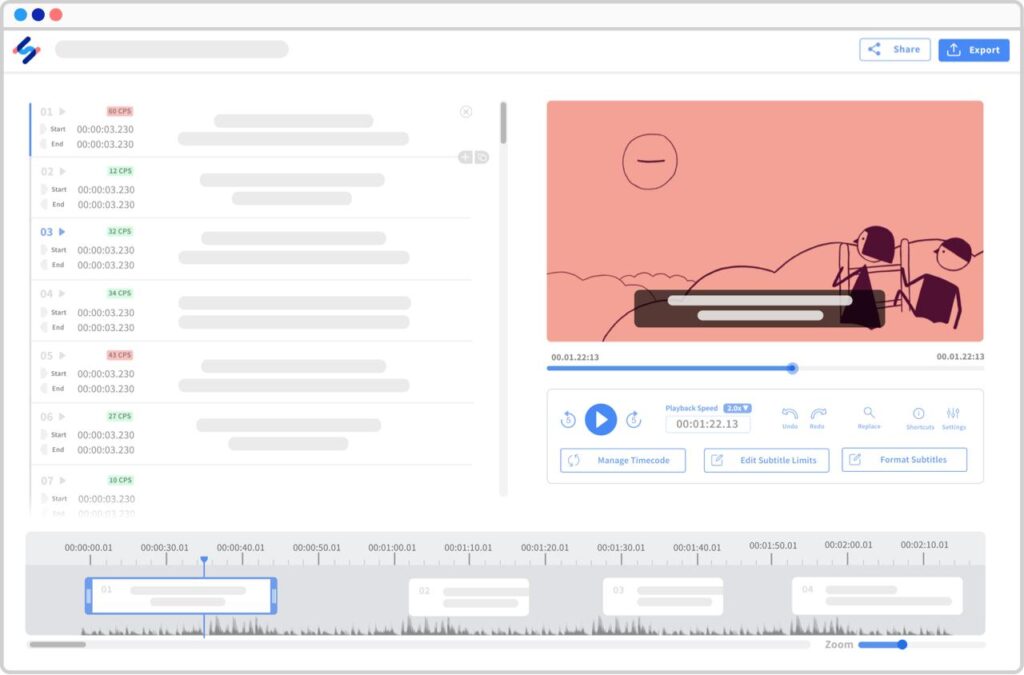
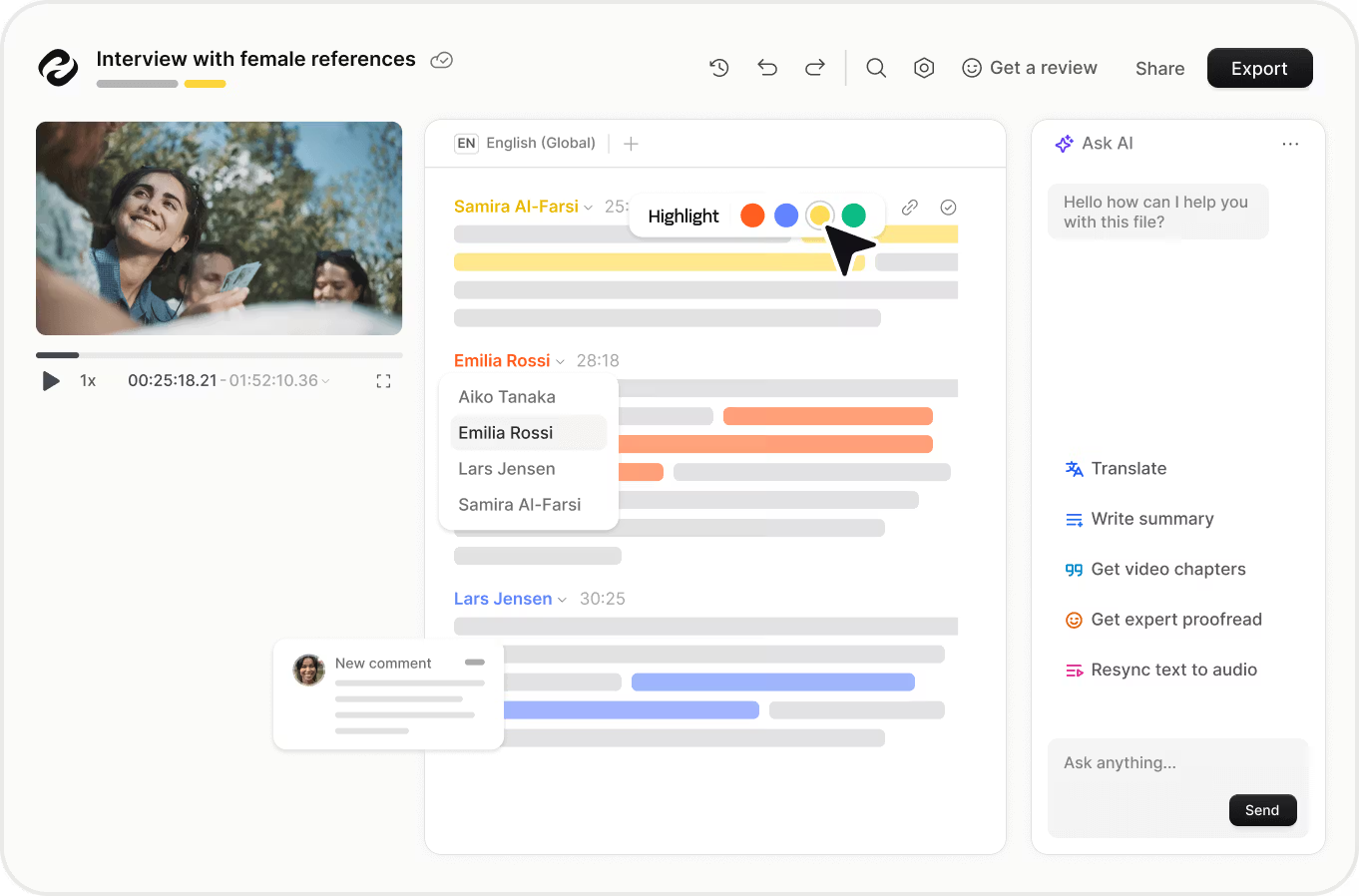
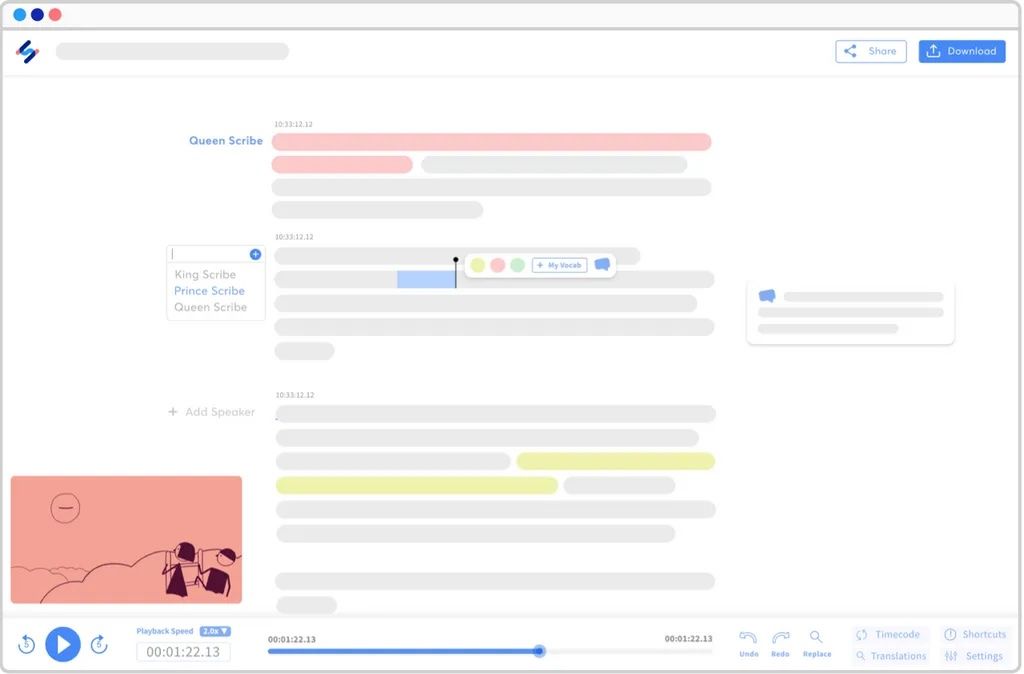
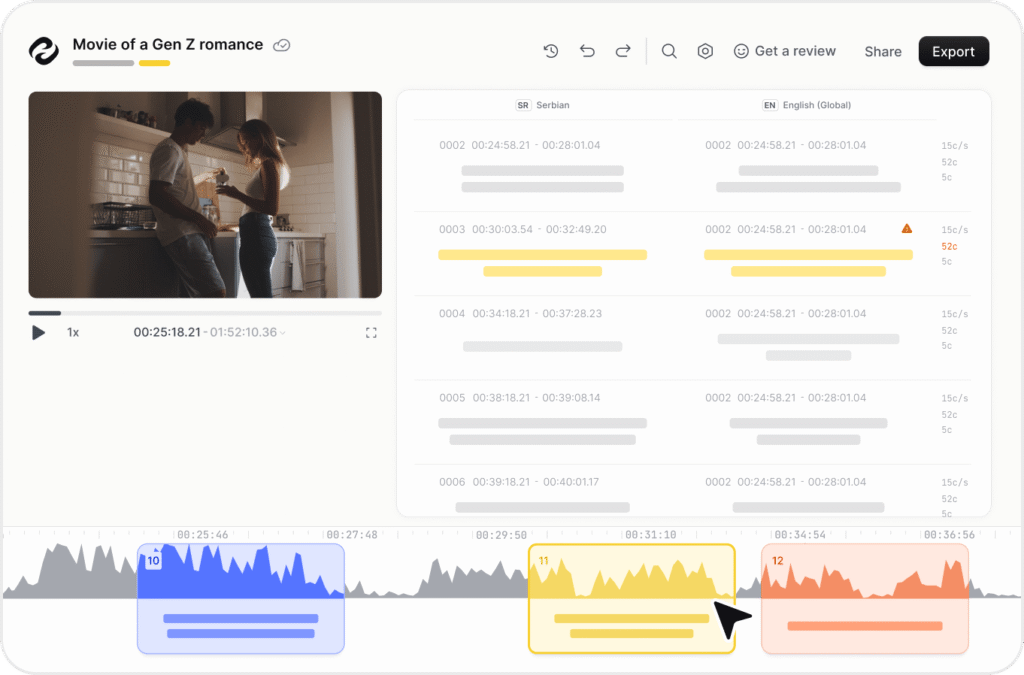
Alongside fully automated subtitles, it offers optional human review to increase accuracy — a hybrid approach aimed at teams that need reliability as well as speed. It explicitly documents SDH subtitle creation with speaker identification and non-speech elements, and supports more than 120 languages across transcription and translation workflows.
The platform also introduces infrastructure rarely seen in creator-focused tools: style guides, glossaries, team collaboration features, and a public API. These allow organisations to maintain consistency across projects and automate parts of the workflow.
Export options are broader than the others here, spanning common subtitle formats (SRT, VTT, TXT), burn-in video exports, and a wide range of structured data formats useful for downstream editing or localisation pipelines.
This is less a caption generator and more a language-workflow platform.
Limitations
While an STL export option is referenced in some materials, formal broadcast-spec compliance is not explicitly documented. There is no clear support for formats such as TTML or platform-specific delivery packages, and product documentation does not describe reading-speed validation tools, waveform editing, or advanced positioning controls.
In practice, this means Happy Scribe can produce high-quality subtitles, but final compliance checks for tightly regulated delivery environments would still require specialist software.
The free tier is minimal, and paid plans operate on monthly minute allowances, with additional usage billed per minute — a structure that can become costly at scale.
Professional Ceiling
Happy Scribe comfortably supports corporate video, educational content, accessibility-focused productions, and multilingual distribution where standard text-based subtitle formats are sufficient.
The hybrid human-review option and SDH support make it particularly suitable for organisations that prioritise accessibility or quality assurance. Its API and integrations also enable automation and high-volume workflows beyond what typical creator tools offer.
For strictly specified delivery requirements, the practical approach is to use Happy Scribe for transcription, translation, and subtitle preparation, then perform final validation or format conversion in dedicated subtitling systems.
Who It’s Actually For
- Agencies and production teams
- Corporate communications departments
- Educational institutions
- Accessibility-focused workflows
- Large-scale multilingual content operations
If your challenge is managing subtitles across many languages, projects, or stakeholders — rather than styling a single video — Happy Scribe aligns well with that reality.
Zubtitle
Strengths
Zubtitle is unapologetically built for short-form social video.
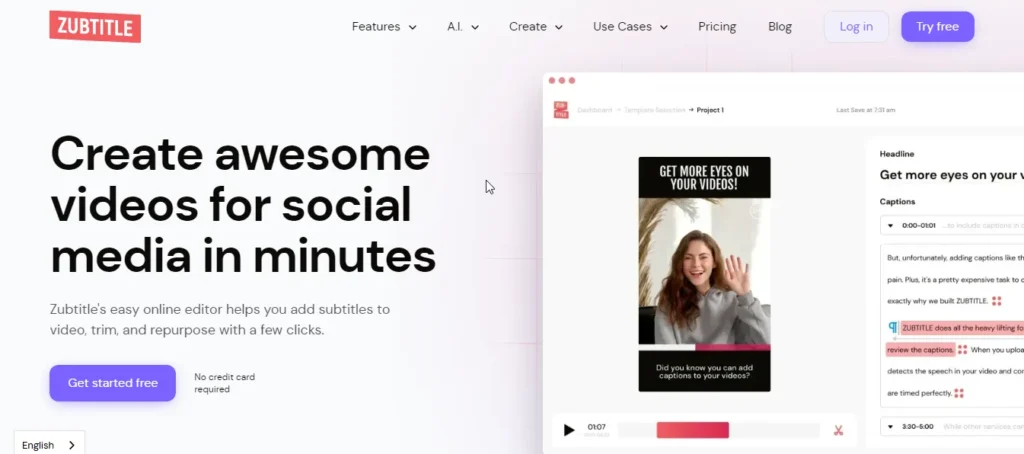
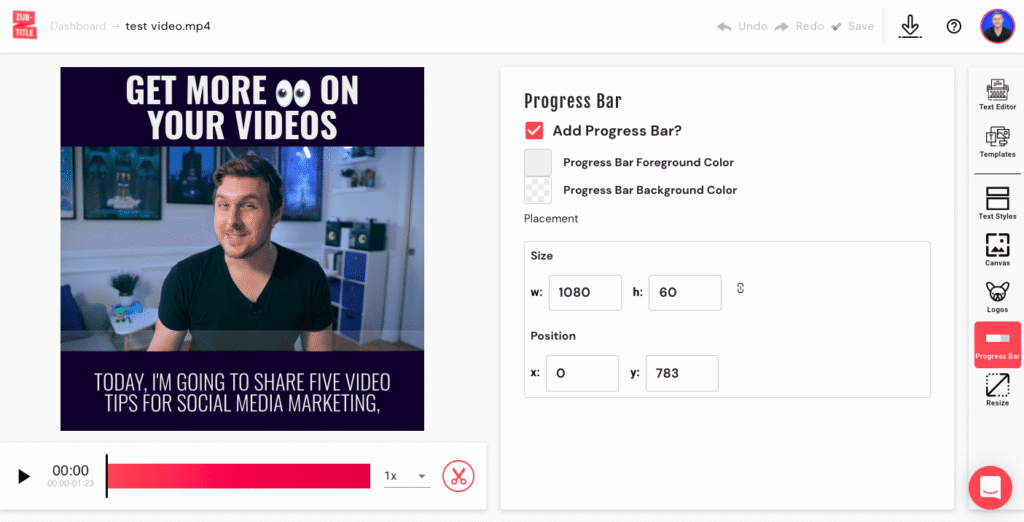
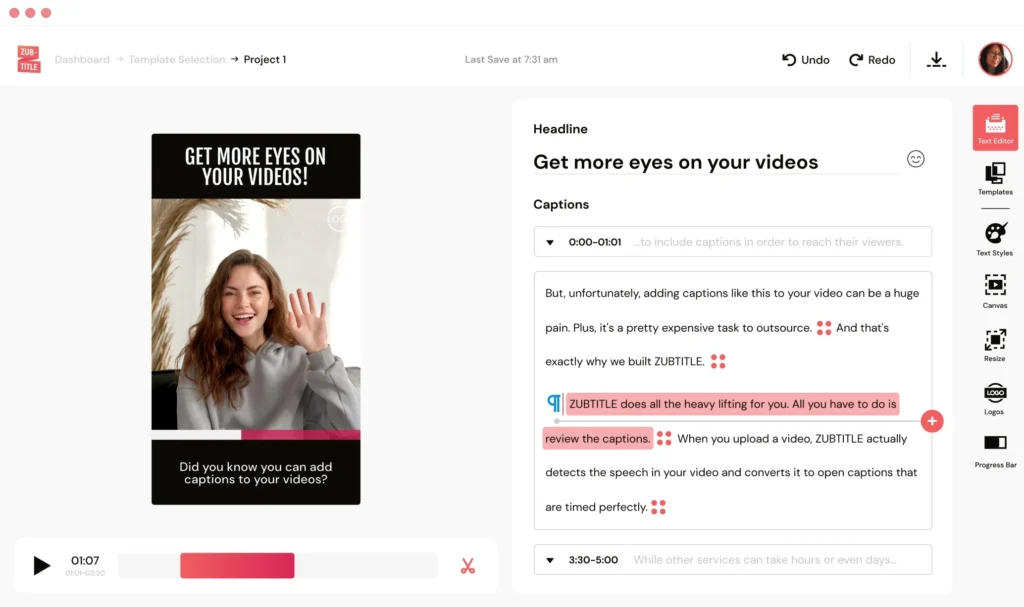
It automatically generates captions for clips up to 20 minutes long and focuses heavily on visual branding — headlines, progress bars, custom fonts, colours, logos, and templates designed to stop viewers scrolling. Output is optimised for vertical, square, and horizontal formats, making it well suited to modern social platforms.
The workflow is deliberately simple. Upload a video, generate captions, adjust styling, and export a captioned MP4 along with optional SRT or TXT files. File constraints are clearly defined (MP4/MOV/M4V, H.264, ≤1 GB), which helps keep processing fast and predictable.
Pricing follows the same clarity: a free trial with watermark, then subscription tiers based primarily on the number of videos processed per month. The platform supports transcription in more than 60 languages.
For creators producing high volumes of short clips, that focused approach is genuinely efficient.
Limitations
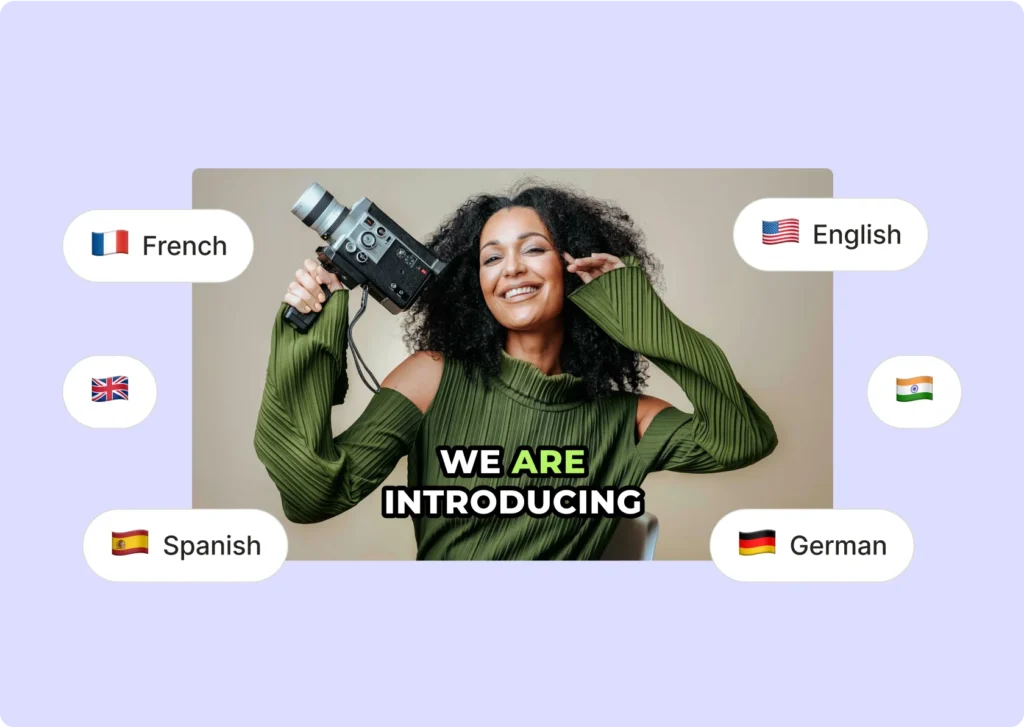
Zubtitle does not support translation; captions are generated only in the spoken language of the source video. There is no speaker detection, no waveform editing interface, and no advanced subtitle engineering tools such as reading-speed validation or segmentation controls.
Export options are limited to SRT and TXT alongside the burned-in video file. The platform does not document multi-language subtitle management, batch processing, API access, or formal accessibility compliance frameworks.
The built-in file size and duration limits also make it unsuitable for longer productions.
Professional Ceiling
Zubtitle comfortably supports short-form social content — marketing clips, course snippets, podcast highlights, and branded videos for web distribution.
It is not designed for long-form productions, multi-language workflows, or environments requiring formal accessibility validation. Projects that need translation, SDH features, or specialised delivery formats will require additional tools.
In practical terms, Zubtitle functions as a social video editor with integrated captions rather than a subtitle authoring system.
Who It’s Actually For
- Solo creators
- Coaches and course builders
- Marketing teams
- Short-form content producers
- Anyone publishing frequent branded clips to social platforms
If your primary deliverable is a polished, captioned MP4 for Instagram, TikTok, LinkedIn, or YouTube Shorts — produced quickly and consistently — Zubtitle fits that use case well.
Expert Comparison: How These Tools Differ in Practice
A side-by-side evaluation of real-world strengths, limitations, and ideal use cases.
Accuracy & Editing Control
All four tools rely on automated speech recognition and benefit from manual review, especially with noisy audio or multiple speakers. Happy Scribe offers the most robust accuracy options thanks to optional human proofreading and terminology controls, making it suitable for professional or accessibility-focused work. Descript excels from an editorial perspective: because the transcript drives the edit, wording and speaker attribution are easy to refine, making it particularly strong for interviews and dialogue-heavy content. VEED provides practical cue-level editing within a video timeline — sufficient for most creator workflows — while Zubtitle prioritises speed over precision, offering the simplest editing environment in this comparison.
Styling & Visual Output
Zubtitle is the most branding-focused tool, built for high-impact social captions with templates, headlines, progress bars, and layouts optimised for muted viewing. VEED also performs strongly, combining animated subtitle styles with a full video editor. Descript and Happy Scribe emphasise clarity and consistency over visual flair, making them better suited to informational or professional content than highly stylised social media output.
Translation & Multilingual Work
VEED and Happy Scribe both support large-scale translation workflows and multi-language subtitle generation, making them suitable for global distribution. Descript integrates translation and dubbing into its transcript-first workflow, which is especially useful for repurposing long-form content across languages. Zubtitle produces captions only in the spoken language of the source video, so multilingual projects require external tools.
Export & Delivery Flexibility
Happy Scribe offers the broadest export range, reflecting its orientation toward organisational and production workflows. VEED and Descript provide widely supported formats alongside burned-in video exports, covering most online publishing needs. Zubtitle keeps output intentionally simple — a captioned video plus basic subtitle files — which is often sufficient for short-form social distribution.
Accessibility & SDH Support
Happy Scribe is the only platform here that explicitly documents SDH-style features such as speaker identification and non-speech elements, supported by optional human review. VEED references accessibility best practices, while Descript and Zubtitle focus primarily on general caption readability rather than formal frameworks. For most online content this is adequate, but projects requiring certified compliance typically involve additional specialist processes.
Workflow & Scalability
Happy Scribe is designed for scale, with API access, integrations, collaboration tools, and terminology management for large teams. Descript supports collaborative editorial workflows, particularly for long-form audio and video production. VEED suits marketing teams working within a shared visual environment. Zubtitle is optimised for individual creators or small teams producing one video at a time, trading scalability for speed and simplicity.
Veteran Verdict
These four tools exist in the creator and digital production ecosystem, where speed, accessibility, and ease of use matter more than formal delivery packaging. Within that ecosystem, they serve very different purposes, and each one does a specific job well.
If your delivery format is SRT or VTT for YouTube, social platforms, corporate hosting, internal communications, online courses, or most OTT environments, every tool in this comparison can produce solid, usable captions — provided you choose the one that matches your workflow.
VEED is the most versatile all-rounder: a browser-based editor with strong styling and multilingual capability built in.
Descript remains the most editorially intelligent. For transcript-driven workflows — podcasts, interviews, dialogue-heavy content — it’s transformative. I use it extensively for first-pass transcription and script development in freelance environments. It excels at language clarity. If you understand how to export and refine properly, it becomes an extremely powerful starting point.
Happy Scribe is the most scalable. Once you introduce human proofreading, SDH support, glossaries, and API integration, you’re operating at team and workflow level rather than solo creator level.
Zubtitle is the most streamlined. For high-volume, short-form branded social content, its constraints are part of its efficiency.
The real mistake is not choosing the “wrong” tool — it’s expecting one tool to serve every stage of a growing workflow. The key is simple. Don’t ask a tool to do what it wasn’t designed to do.
Understand your distribution requirements and editing workflow.
Match the tool to the task.
Understand your ceiling.
Reassess as your needs evolve.
If your work moves into tightly regulated delivery environments, that’s when specialist subtitling software — or a professional subtitler — becomes necessary.
Until then, choose intelligently and use the right tool for the job.
External links — no affiliate relationships at time of publication.
About the Reviewer: UK-based SDH subtitler and live-respeaking professional with 20 years’ experience producing subtitles for major broadcasters, OTT streaming platforms and access service providers.